

Product information
-
$ 39 /lifetime
- Category: AI Tools
- Version: 1.0.0
- Browser Compatibility: Chrome, Firefox, Safari, Opera, Edge
- Files Included: HTML, CSS, JavaScript, PHP
- 6+2 months of premium support when you purchase from Flerosoft

ChatMate AI | Intelligent RAG-Powered Chatbot for WordPress
Transform your WordPress site with an AI chatbot powered by OpenAI’s latest Responses API and RAG technology. Train it on your data for accurate 24/7 support.


What is RAG Technology?
Retrieval-Augmented Generation combines the power of AI with your specific content. Upload your documentation, manuals, FAQs, or any text files directly to the plugin, and ChatMate will provide accurate, context-aware answers based exclusively on YOUR content – not generic AI responses.
Key Features
New: Integrated Knowledge Base
- Direct File Management: Upload PDFs, DOCX, Code files, Markdown, and more (Max 25MB) directly from your dashboard.
- Smart Domain-Based Vector Stores: Automatically creates and connects to a unique Vector Store for your domain (e.g., yoursite.com).
- Duplicate Prevention: Intelligent file handling reuses existing files on OpenAI instead of re-uploading, saving storage costs.
- Prompt Configuration: Set your System Instructions and choose your Model (GPT-5, GPT-5 Nano, GPT-4o, etc.) directly in the plugin settings.
- No External Setup: You no longer need to create an Assistant on OpenAI platform. Everything is managed within WordPress!
OpenAI Integration
- Stateful Conversations: Uses OpenAI’s `conversation_id` for smarter, context-aware chats that remember previous messages.
- Core System Instructions: Fixed, non-editable rules ensure consistent AI behavior across all conversations.
- Dynamic Model Selection: Switch between GPT-5, GPT-5 Nano, GPT-4o, GPT-4o-mini and others instantly.
- RAG Powered: Responses are grounded in your uploaded Vector Store files for maximum accuracy.
- Direct Dashboard Access: Quick links to OpenAI Responses, Conversations, and Storage dashboards.
Advanced Analytics & Insights
- Engagement Metrics: Track total queries, responses, users, and average queries per user.
- Keyword Analysis: Visualize top keywords and phrases (1, 2, or 3 words) from user queries.
- Date Filtering: Filter insights by Today, Yesterday, or Last 7 Days.
- Chat Export: Export individual chat threads to CSV for offline analysis.
Smart Conversation Management
- Message Feedback System: Users can upvote/downvote responses to improve quality.
- GDPR Compliance Suite:
- Enable/Disable Toggle: Master switch for all GDPR features.
- Configurable Retention: Set custom days for auto-deletion of logs.
- Automated Cleanup: Daily WP-Cron job automatically removes old data.
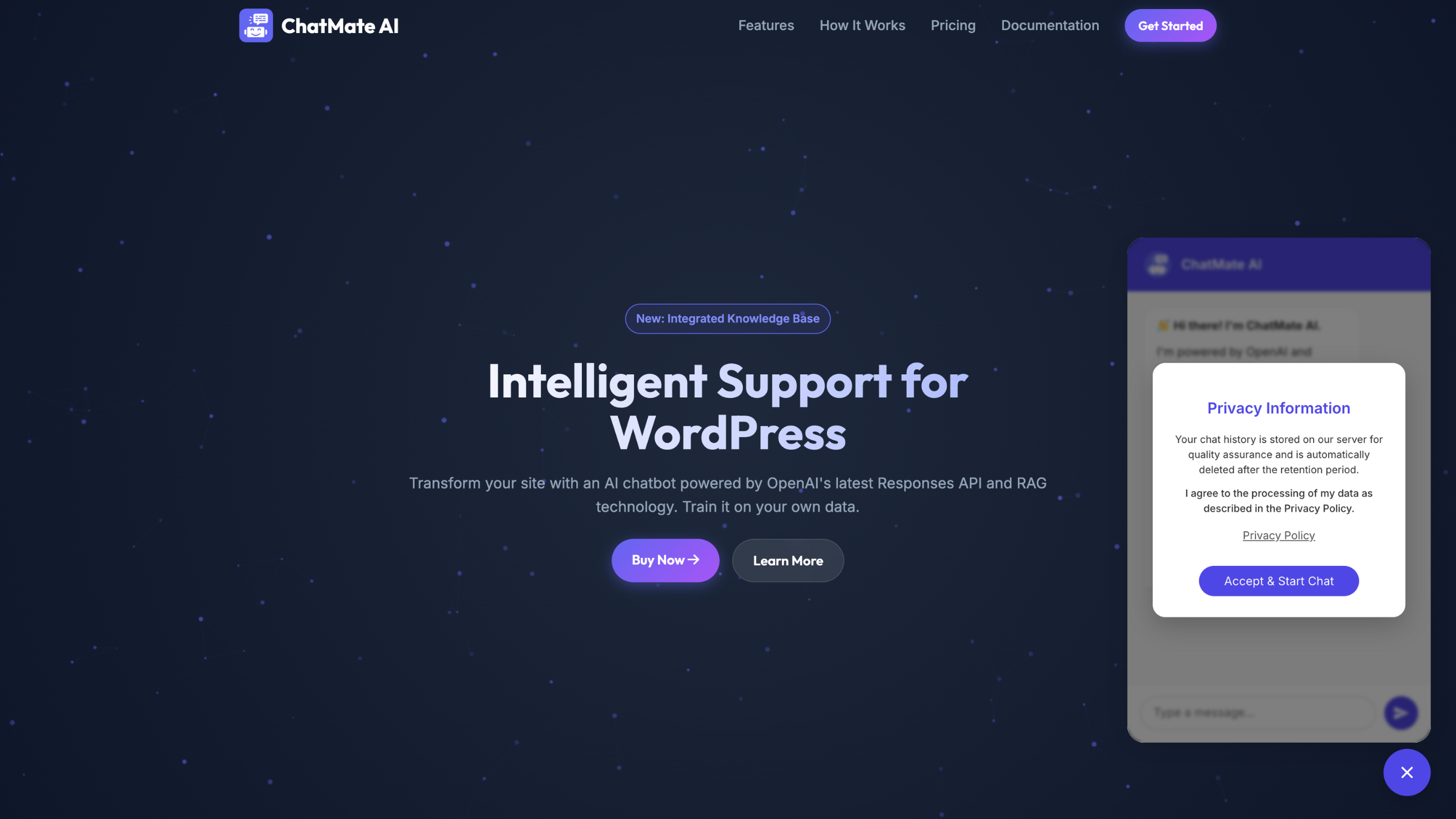
- Consent Mechanism: Require user consent before chatting with customizable button text.
- Smart Privacy Notices: Automatically switches privacy message based on whether you are saving logs or just passing them to AI.
Fully Customizable Interface
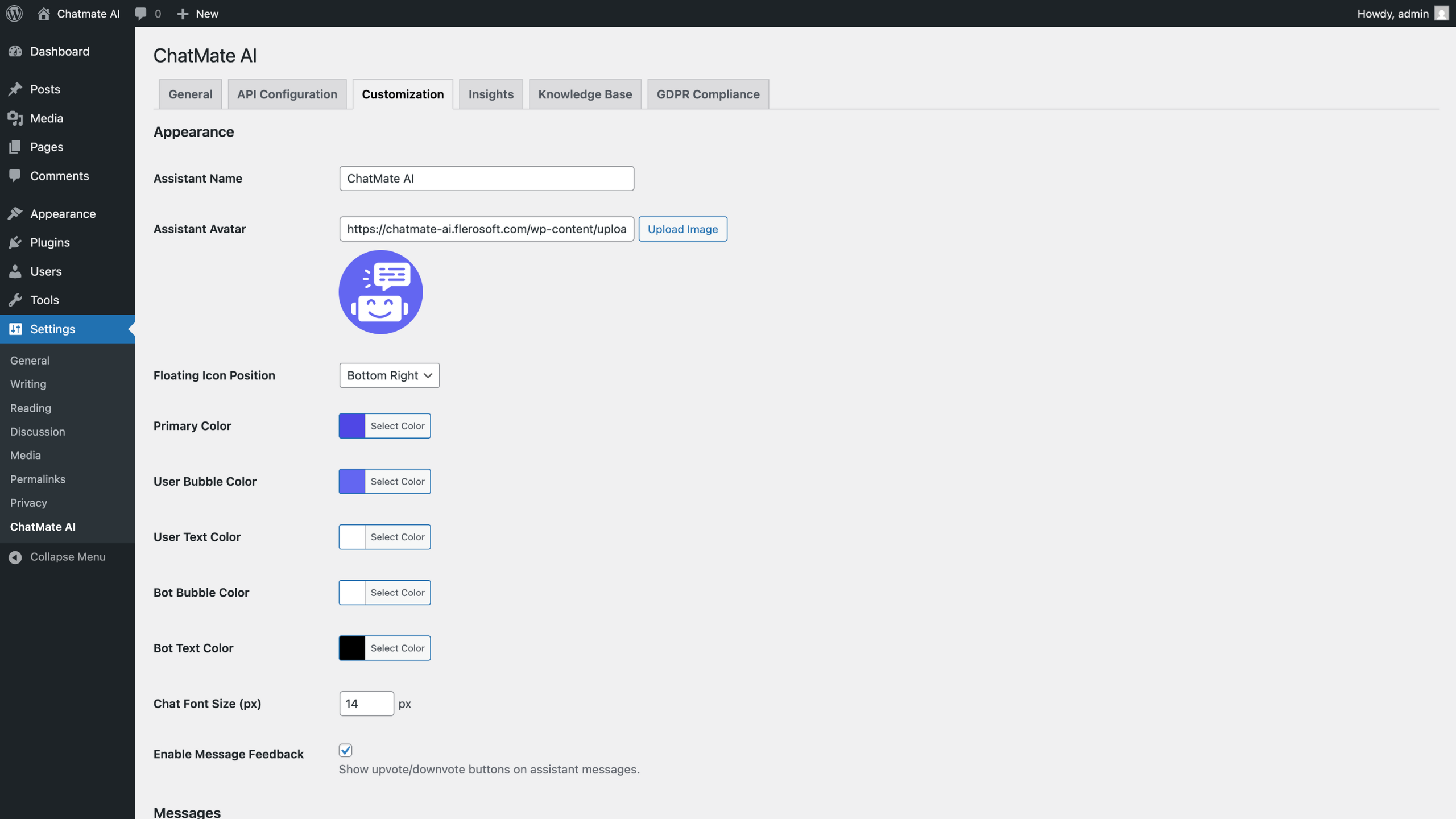
- Organized Settings: Separate Appearance and Messages sections for easy configuration.
- Position Control: Bottom Right or Bottom Left placement.
- Color Customization: Match your brand colors (Bubble & Text colors for both User & Bot).
- Typography Options: Adjust font sizes and styles.
- Custom Messages: Set personalized welcome, error, and timeout messages with WYSIWYG editor.
- Assistant Avatar: Upload your own custom avatar image.
- Responsive Design: Works perfectly on mobile and desktop.
Easy Implementation
- Shortcode Support: Simply use
[chatmate]anywhere. - Gutenberg Block: Drag-and-drop “ChatMate Widget” block.
- Widget Ready: Add to any sidebar or widget area.
- Page Exclusion: Easily select pages where the chatbot should NOT appear.
Perfect For
- Customer Support – Reduce support tickets with instant AI assistance.
- Knowledge Bases – Make documentation interactive and searchable.
- E-commerce Sites – Answer product questions 24/7.
- Educational Platforms – Provide course information instantly.
- SaaS Websites – Help users understand features and functionality.
- Documentation Sites – Turn static docs into conversational help.
How It Works
- Install & Activate – Simple one-click installation.
- Configure API – Add your OpenAI API key (No Assistant ID needed!).
- Build Knowledge Base – Upload your files (PDFs, docs) in the “Knowledge Base” tab.
- Manage Knowledge Base – Upload files and the system automatically organizes them for the AI to search.
- Configure Prompt – Select your Model and write Instructions.
- Deploy – Enable the chatbot and watch it answer questions from your content!
Why Choose ChatMate AI?
- Accurate Responses – RAG technology ensures answers from your content.
- Cost Effective – Pay only for OpenAI API usage.
- No Training Required – Just upload files and go live.
- Continuous Updates – Update your assistant files anytime directly from WP.
- Developer Friendly – Clean, well-documented code.
- WordPress Best Practices – Follows WordPress coding standards.
What’s Included
- ChatMate AI WordPress Plugin (Full Source Code)
- Detailed Documentation
- Installation Guide
- Configuration Tutorial
- Regular Updates
- Quality Support
Requirements
- WordPress 6.0 or higher
- PHP 7.4 or higher
- OpenAI API Account (get yours at platform.openai.com)
- Valid OpenAI API Key with credits
Quick Start Guide
Step 1: Install and activate the plugin.
Step 2: Navigate to Settings → ChatMate AI → API Configuration.
Step 3: Enter your OpenAI API Key.
Step 4: Go to the Knowledge Base tab.
Step 5: Upload your documents to the Knowledge Base.
Step 6: In “Prompt Settings”, select your Model and configure Instructions.
Step 7: Enable the chatbot in General Settings and you’re live!
Customization Options
Appearance Settings
- Widget Position: Bottom Right / Bottom Left.
- Custom Colors: Full CSS control for branding (Primary, User Bubble/Text, Bot Bubble/Text).
- Typography: Customize fonts and sizes.
- Assistant Avatar: Custom branding for your bot.
- Message Feedback: Enable/disable upvote/downvote buttons.
Message Settings
- Welcome Message: Set personalized greetings with WYSIWYG editor.
- Error Message: Custom message for general errors (API key issues, server errors).
- Timeout Message: Separate message for API timeout situations.
Updates & Support
- Regular plugin updates for WordPress compatibility.
- Security patches and bug fixes.
- Feature enhancements based on user feedback.
- Dedicated support through CodeCanyon.
FAQs
Q: Do I need coding knowledge?
A: No, it’s a simple point-and-click setup through WordPress admin.
Q: What file formats are supported?
A: PDF, DOC, DOCX, TXT, JSON, and other text-based formats supported by OpenAI.
Q: How much does OpenAI API cost?
A: OpenAI charges per token used. With new Nano models, conversations can cost as little as $0.001 each.
Q: Do I need to create an Assistant on OpenAI first?
A: No! You can now manage everything (Instructions, Model, Files) directly inside the plugin.
Q: Is chat history stored?
A: Yes, you can choose to store conversations securely on your server for insights (“Save Chat Logs” enabled) or disable logging completely for strict privacy. Note that recent chats are temporarily stored in the visitor’s browser cache (localStorage) to allow them to refresh the page without losing context.
Q: Can I customize the design?
A: Yes, via settings panel and custom CSS for advanced styling.
Support
Need help? We’ve got you covered:
Get ChatMate AI Today
Turn your WordPress site into an intelligent support system. Reduce support costs, improve customer satisfaction, and provide instant, accurate answers 24/7.
Comments & Support
We usually respond within 2-4 business days (Monday-Friday, 9am-5pm Pacific Time), but we might get delayed if there are a high number of requests.